
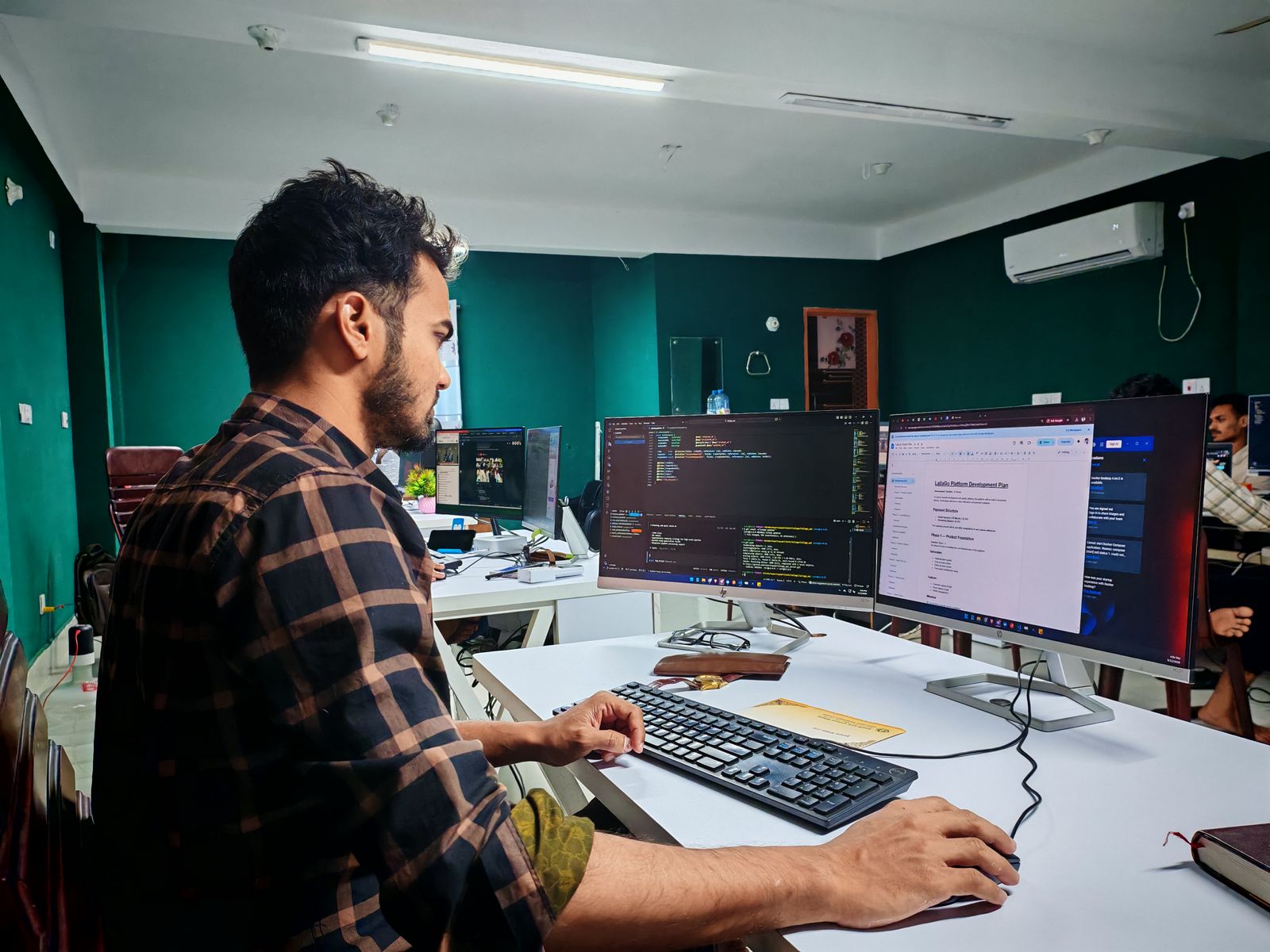
Quick answer: What can IT professionals claim?
If you work in IT and personally incur expenses that directly relate to earning your employment income, you may be able to claim eligible costs. You generally need to have paid the expense yourself, not have been reimbursed and keep appropriate records. Private use must be excluded.
Potentially — but not necessarily the full purchase price of every item.
The tax treatment depends on factors such as what you purchased, how it relates to your current employment, its cost, whether it is also used privately and whether your employer paid or reimbursed you.
Three basic rules before claiming an IT expense
You paid for it
You generally need to have incurred the expense yourself and not have been reimbursed by your employer.
It relates to your job
The expense needs the required connection with earning income from your current employment activities.
Keep records
Keep receipts and other records supporting the expense and how you calculated the work-related portion.
Common deductions for IT professionals
✓ May be deductible
- Eligible computers and laptops
- Monitors and work equipment
- Eligible software and subscriptions
- Work-related phone use
- Work-related internet use
- Eligible working-from-home expenses
- Technical publications
- Eligible IT certifications
- Relevant training and conferences
- Professional association fees
- Eligible equipment repairs
- Certain workplace-to-workplace travel
✕ Don't automatically claim
- Private laptop use
- Your entire home internet bill
- Entertainment subscriptions
- Personal gaming equipment
- Ordinary business clothing
- Coffee and everyday meals
- Normal home-to-office travel
- Employer-provided equipment
- Reimbursed expenses
- Study undertaken simply to enter a new career
1. Laptops and computers
Computers and laptops are among the most common expenses for technology professionals.
If you purchase a computer yourself and use it to perform your employment duties, the eligible work-related portion may be deductible.
However, buying a laptop for work does not necessarily mean you can claim its entire purchase price immediately.
For an employee, an eligible tool or equipment item costing more than $300 will generally be claimed over time through decline in value rather than as an immediate deduction. An eligible item costing $300 or less may qualify for an immediate deduction if the relevant conditions are satisfied.
A software developer buys a laptop for $2,400 and uses it primarily for employment-related development work, but also uses it privately.
The developer should not simply claim the entire $2,400 as an immediate employee deduction. The applicable decline-in-value rules and the proportion of income-producing use need to be considered.
2. Monitors, keyboards and computer equipment
IT professionals may purchase additional equipment to perform their work efficiently. Depending on your duties and circumstances, potentially relevant items can include:
- computer monitors,
- keyboards,
- mice or trackpads,
- docking stations,
- webcams,
- headsets,
- storage devices,
- other computer peripherals, and
- specialised equipment required for your work.
Whether you can claim an immediate deduction or need to claim decline in value depends on the item, cost and applicable rules. Private use must also be considered.
3. Software and subscriptions
Software can be an important expense for developers, designers, network specialists, data professionals and other IT workers.
Eligible software you personally pay for and require for your current employment duties may potentially be deductible. Examples might include qualifying:
- development tools,
- code editors and IDE subscriptions,
- technical software,
- design or development applications,
- cloud-based work tools,
- security tools, and
- other specialised software used for your current duties.
4. Mobile phone expenses
If you use your personal phone for work-related calls, messages, authentication or other genuine employment activities, you may be able to claim the eligible work-related portion of your costs.
If you also use the phone privately, you need to apportion the expense.
An IT support engineer uses a personal mobile phone to speak with colleagues and respond to work-related issues, but also uses the same phone extensively for private purposes.
The engineer should not automatically claim 100% of the phone bill. Only the eligible work-related portion should be considered.
Read our detailed guide: Phone and Internet Tax Deductions for Nepali Workers in Australia .
5. Home internet expenses
If you genuinely use your home internet to perform employment duties, eligible internet costs may form part of your deduction.
However, most home internet services are also used privately for streaming, social media, gaming, personal browsing or by other members of the household.
You therefore should not simply claim the entire household internet bill unless the facts genuinely support that treatment.
6. Working-from-home expenses
Remote and hybrid work are common in the technology sector.
If you work from home to perform your employment duties and incur additional running expenses as a result, you may be able to claim eligible working-from-home expenses.
The ATO provides methods for calculating eligible working-from-home expenses, including the fixed rate method and actual cost method. The method you use affects what expenses are covered and what records you need.
See our detailed guide: Working From Home Tax Deductions Australia .
7. Desk, chair and home-office equipment
If you purchase office furniture or equipment that you use to perform your employment duties from home, the eligible work-related portion may potentially be deductible.
This can include qualifying office equipment such as:
- desks,
- office chairs,
- computer equipment, and
- other depreciating assets used for work.
The treatment can depend on the item's cost and how much it is used for work compared with private purposes.
8. IT certifications
Professional certifications are particularly important in the technology industry.
You may be able to claim eligible self-education expenses where the certification or training has a sufficient connection with your current employment activities.
Broadly, the education may qualify where it maintains or improves the specific skills or knowledge required in your current job, or is likely to increase income from your current employment.
A network engineer completes advanced networking training to improve skills directly used in the engineer's current employment.
If the required connection with the existing employment duties is satisfied, eligible costs may potentially be deductible.
9. What if the certification is for a new IT career?
This distinction is important.
Self-education is not automatically deductible simply because the new course is related to technology.
If the study is designed to help you obtain new employment or move into a new income-earning activity, the costs may not have the required connection with your current employment.
Read: Self-Education Tax Deductions for Nepali Workers and Students .
10. Conferences, seminars and technical training
Eligible seminars, conferences and training courses may be deductible where they have the required connection with your current employment.
For an IT professional, this could potentially include relevant technical training that maintains or improves skills already required for the person's current role.
Keep evidence showing not only what you paid, but also how the event or training relates to your existing duties.
11. Technical publications
The ATO's guidance for IT professionals specifically identifies technical or professional publications among expenses that may be deductible where they relate to employment.
This could potentially include eligible professional or technical material required to maintain knowledge used in your current role.
General-interest reading or material that is private in nature should not automatically be claimed.
12. Professional association and union fees
Eligible union fees and professional association subscriptions may be deductible depending on the circumstances.
Joining fees, special levies and recurring professional subscriptions can have different tax treatment, so they should not automatically be grouped together.
See: Professional Membership & Union Fee Tax Deductions .
13. Repairs to work equipment
If you own eligible equipment that you use for your employment, costs of repairing or maintaining that equipment may potentially be deductible to the extent they relate to your income-producing use.
For example, repairs to a personally owned computer that is genuinely used for employment may need to be apportioned if the computer is also used privately.
14. Travel between offices, clients or work sites
Ordinary travel between home and your regular workplace is generally private.
However, eligible travel undertaken while performing your employment duties can be different.
For example, an IT technician who travels from the employer's office directly to another work location or client site as part of their duties may have eligible work-related travel expenses, depending on the circumstances.
Read: Travel Between Workplaces Tax Deductions in Australia .
15. Can IT professionals claim work clothes?
Generally, ordinary clothing is private.
A software developer, systems engineer or IT manager cannot normally claim conventional business clothing simply because their employer requires a professional dress standard.
Ordinary shirts, trousers, suits, dresses and shoes generally remain conventional clothing.
16. Coffee, meals and snacks while working
Ordinary meals, coffee, tea and snacks are generally private expenses.
This remains the case simply because you purchase them during a long coding session, while working remotely or while at the office.
17. What if your employer pays for the equipment?
You cannot simply claim an expense that your employer paid for or reimbursed you for.
An employee purchases a $500 monitor and the employer later reimburses the full $500.
The employee should not then claim the same $500 as though they personally remained out of pocket.
18. Work use vs private use
Apportionment is particularly important for IT professionals because technology often has both professional and personal uses.
A laptop might be used for coding during work hours and for streaming at night. A home internet connection may support remote work but also serve the entire household. A phone may be used for work authentication and private social media.
19. What if you own multiple computers or monitors?
Owning multiple devices does not prevent a deduction, but each item still needs the required connection with your employment.
You should be able to explain why the equipment is used for your duties and how you determined its work-related use.
Items purchased mainly for gaming, entertainment or private use should not be converted into work deductions simply because some occasional work is also performed on them.
20. Employee vs IT contractor
The tax treatment can differ depending on whether you are an employee or carrying on an IT business as a sole trader or contractor.
This guide primarily focuses on work-related deductions for employees.
If you operate your own IT business under an ABN, different business deduction, depreciation, GST and record-keeping rules may need to be considered.
IT professional tax deduction guide
| Expense | Potential treatment | Important consideration |
|---|---|---|
| Laptop or computer | May be deductible | Work-related use, cost and decline-in-value rules need to be considered. |
| Monitor | May be deductible | Treatment depends on cost and income-producing use. |
| Keyboard / mouse | May be deductible | Must relate to employment; asset rules may apply. |
| Software | May be deductible | Must have the required work connection; exclude private use. |
| Phone | May be deductible | Claim only the eligible work-related portion. |
| Internet | May be deductible | Private and household use generally needs to be excluded. |
| Working from home | May be deductible | You must satisfy the requirements and keep records for the method used. |
| IT certification | May be deductible | Needs sufficient connection with current employment activities. |
| Career-change course | Generally not deductible as work-related self-education | Study designed to obtain new employment does not satisfy the usual rule. |
| Technical publication | May be deductible | Must relate to current employment. |
| Professional membership | May be deductible | Different rules can apply to subscriptions, joining fees and levies. |
| Equipment repairs | May be deductible | Claim only the eligible income-producing portion. |
| Ordinary business clothing | Generally private | Conventional clothing is generally not deductible. |
| Coffee and ordinary meals | Generally private | Working from home or an office does not normally change this. |
| Normal home-to-work travel | Generally private | Different rules can apply to eligible travel while performing work duties. |
What records should IT professionals keep?
- Computer and laptop purchase invoices.
- Receipts for monitors and peripherals.
- Software subscription invoices.
- Records showing work and private device use.
- Phone and internet bills.
- Work-use calculations.
- Working-from-home hour records.
- Home-office equipment receipts.
- Certification and training invoices.
- Evidence explaining how training relates to current duties.
- Conference and seminar records.
- Professional membership receipts.
- Equipment repair invoices.
- Eligible work-travel records.
- Records of employer reimbursements.
Common tax mistakes IT professionals should avoid
- Claiming the full cost of an expensive laptop immediately. Higher-cost equipment may need to be claimed over time through decline in value.
- Claiming 100% private and work use. Mixed-use devices generally need to be apportioned.
- Claiming the entire home internet bill. Private and household use needs to be considered.
- Claiming entertainment software. A subscription does not become deductible merely because it is installed on a work computer.
- Claiming any IT course. Self-education needs sufficient connection with your current employment activities.
- Claiming study undertaken to obtain a new career. Education designed to get new employment is not automatically deductible.
- Claiming ordinary office clothing. Conventional business clothing is generally private.
- Claiming reimbursed equipment. Do not claim expenses already paid or reimbursed by your employer.
- Keeping no evidence of work use. Keep records supporting both the expense and your work-related percentage.
IT professional tax-time checklist
- Gather income statements from all employers.
- Review personally purchased computers and equipment.
- Check laptop and computer work-use percentages.
- Gather software subscription invoices.
- Review work-related phone use.
- Review work-related internet use.
- Check your working-from-home records.
- Review office equipment purchased during the year.
- Gather IT certification and course invoices.
- Confirm training relates to your current employment.
- Review professional membership fees.
- Check eligible technical publications.
- Review workplace-to-workplace travel.
- Remove private portions of mixed expenses.
- Check whether your employer reimbursed any costs.
- Keep records supporting every deduction claimed.
Related Hamro Accountant guides
Working From Home Tax Deductions Australia
Phone and Internet Tax Deductions for Nepali Workers
Tools & Equipment Tax Deductions for Nepali Workers
Self-Education Tax Deductions for Nepali Workers and Students
Professional Membership & Union Fee Tax Deductions
Frequently asked questions
Working in IT in Australia?
Hamro Accountant can help you review laptops, software, working-from-home costs, certifications, phone and internet expenses and other potential work-related deductions when preparing your Australian tax return.
General information only: This article provides general Australian taxation information and does not constitute personal tax, financial or legal advice. Whether an expense is deductible depends on your current employment duties, the nature and cost of the expense, its connection with earning your income, private use, whether your employer paid or reimbursed the expense, the applicable depreciation rules and your individual circumstances. Australian tax rules and ATO guidance can change. Check current ATO guidance and obtain advice appropriate to your circumstances before lodging your tax return.